
PADS VX.0如何正确导入ALLEGRO格式的brd文件?
但是在实际操作过程中,由ALLEGRO产生的文件总是无法正常导入到PADS VX里面去
不知道可能是啥原因导致?哪位比较清楚这个过程
a. Create a new folder (for example C:\SPB_Data\convert_1), and copy into it the
Allegro design (.brd) file you want to migrate.
b. Open the .brd file, and in the Allegro command prompt window enter these
command lines:
Command> skill load “dfl_main.il” (include quotes)
Command> main out
c. The “main out” opens the Allegro to Expedition Translator dialog box. Click the
Start One Way Translation button.
d. After the SKILL script has completed, any errors reported must be fixed, then rerun
the SKILL script. The migration will not complete correctly if all errors are not
fixed. When completed, numuerous folders and files are generated under the new
design folder you created in step a.
读取文件中来自EXPEDITION PCB (DFL MODE)AUTOROUTE D-FILE读取器的数据记录不正确
重新看了pads的介绍,设置了环境变量 文件现在可以转换了
但是发现转换完之后 器件的编号之类都没有转换过来
这个是啥原因导致的呢?
转换后的灌铜显示也不太正常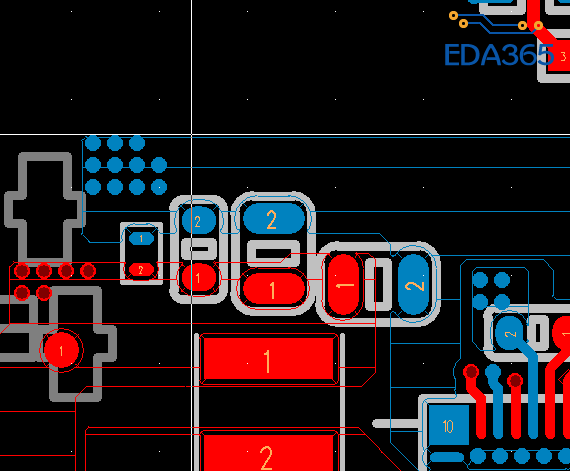
导入的pcb 在选择元件的时候 经常是点击的时候无法选择上