
Lumped components and a transistor in ads layout ?
How do i get about it in ads layout ?
Should i get it transferred in terms of tx lines, if so how ?
Kindly help me.
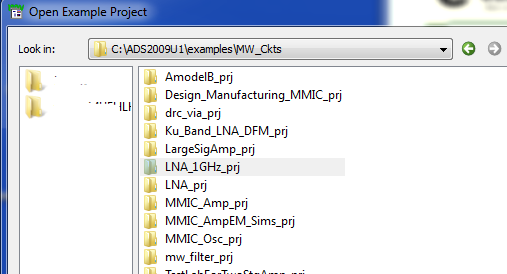
Look at the examples, like the one below
---------- Post added at 17:32 ---------- Previous post was at 17:30 ----------
Duplicate thread
https://www.edaboard.com/thread236451.html
Hi,
can you explain me how did he get all the Tx lines by replacing the C's and the L's in the layout.
cause in the layout extra R's have been included.
Please help me with this.
Hello,
I think I have to leave the answer to someone who is more experiences with ADS layout.
Here is basic information that I have:
If you right click on the component, you can do Component > Edit Component Artwork. There, you can select "fixed" and in the dropdown list below, choose one of the existing layout defintions.
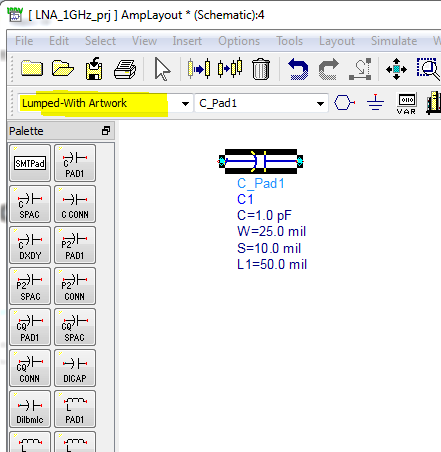
As an alternative, you can also use the "Lumped with Artwork" where you can define the pad size in the component defintion.
R Pad1 (Resistor (Pad Artwork))
As a third alternative, some components libraries also used "programmed" layout with the AEL macro language.
Thanks for the help.
This is my first time I am designing a layout so stuck with it.
components Lumped transistor 相关文章: