
手把手教你做蓝牙小车
时间:10-02
整理:3721RD
点击:
前些日子一直在看鸿哥的程序感觉光看也只是纸上谈兵,所以想通过做小车的方式深入的体会一下鸿哥的程序。想学习鸿哥的程序的可点击下面的连接
(连载中...)从业将近十年!手把手教你单片机程序框架。废话少说先上零件图
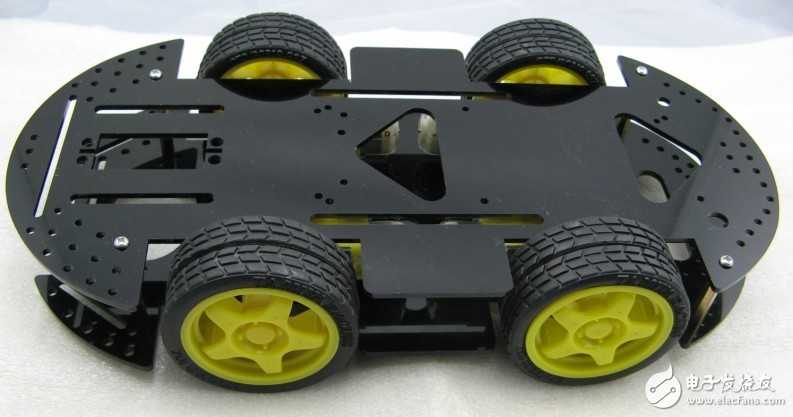
小车底盘

电机驱动
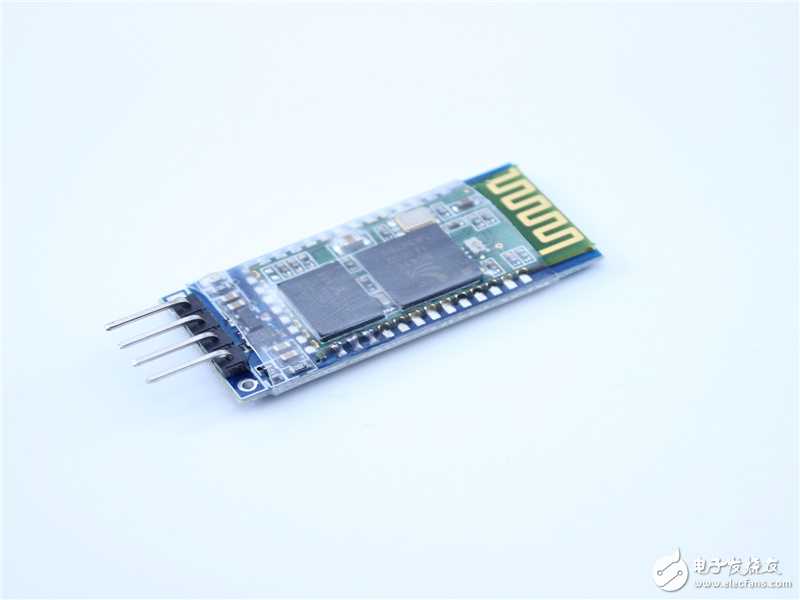
蓝牙模块HC-06
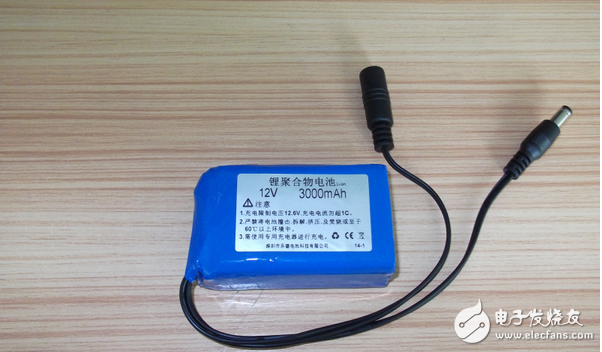
12V锂电池

烧写器
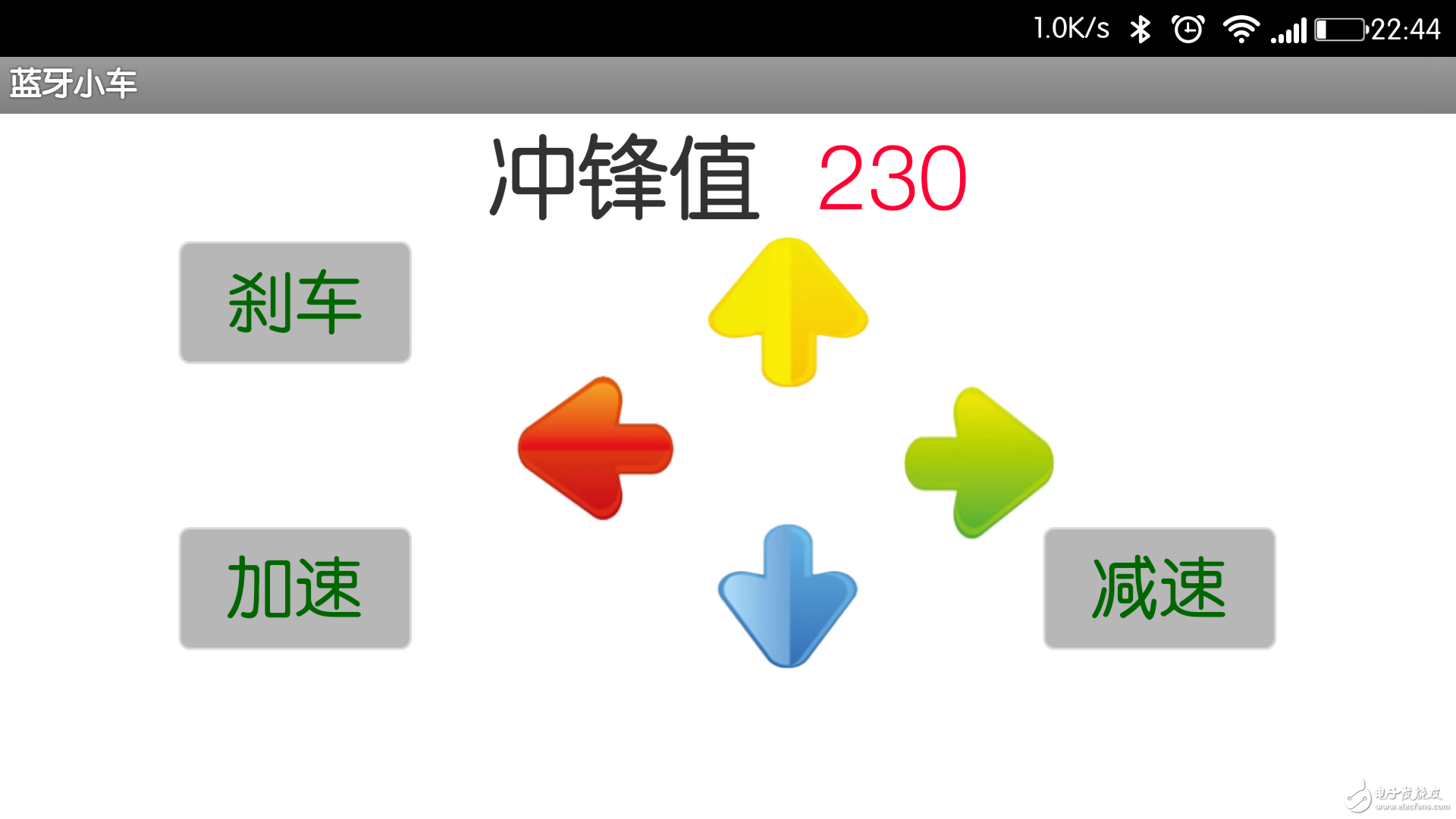
安卓app蓝牙小车

单片机最小系统
本来想自己画板子做模块的,但是老师给了我一大堆模块,没办法就用老师的模块吧
嘿嘿
模块都上了怎么连接?
那我就简单的说一下,
电机驱动:8个控制端接51单片机P0口,驱动PWM使能端接P2.0-P2.3。
因为电机驱动上有5V输出电压所以可以恰好给单片机供电,所以很好的解决了单片机要与驱动共地的问题。
蓝牙模块:蓝牙模块的RXD接单片机的P3.1,蓝牙模块的TXD接单片机的P3.0.蓝牙模块的电源接单片机的电源。
哈哈简单吧
接下来上源代码
接下来上软件
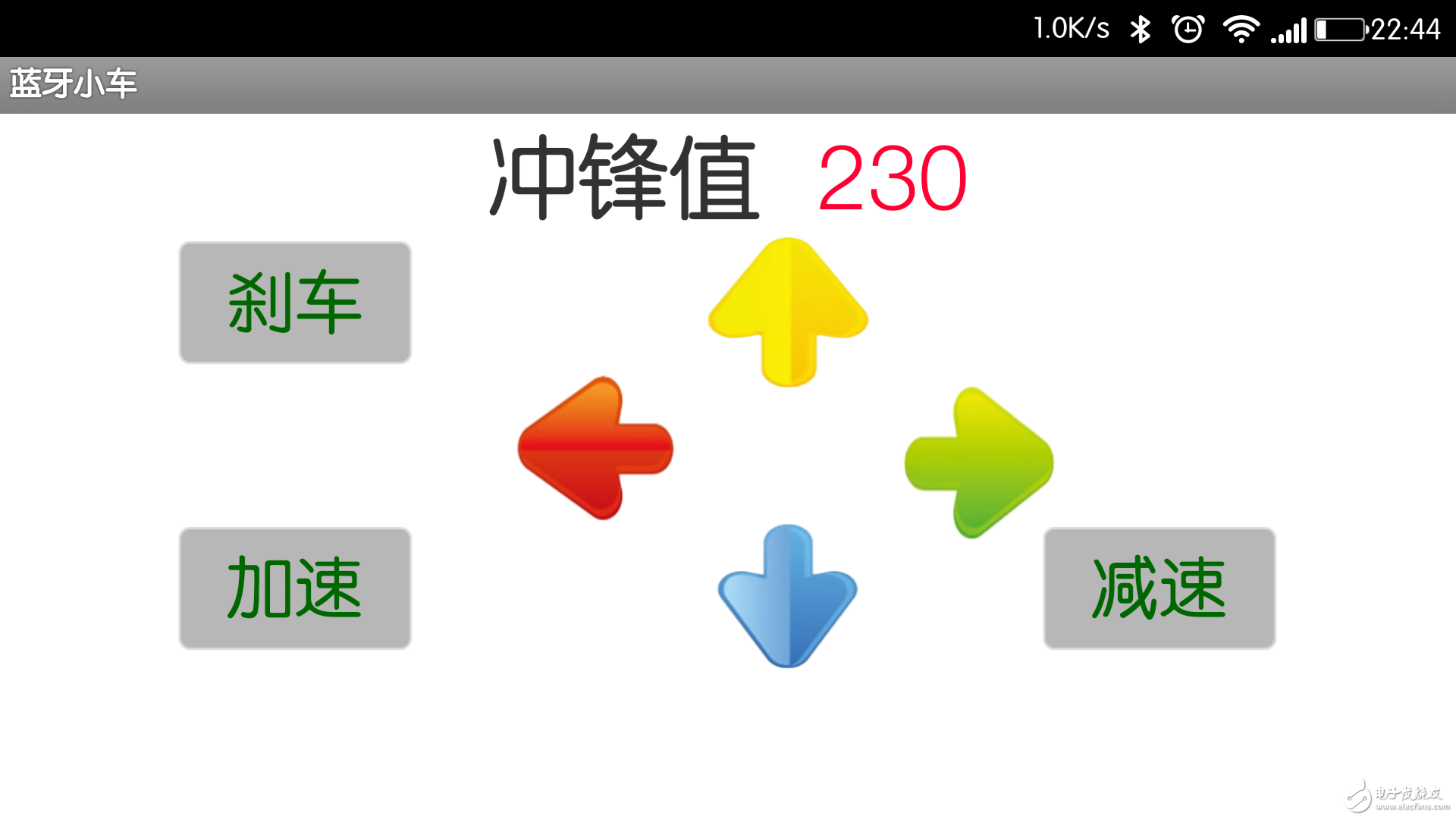

连接上皆可以玩了
密码是1234哦。
软件在这里:http://pan.baidu.com/s/1eQnEHoA
以上只是安装过程。
细心的朋友会发现这个软件发出来的数据怎么得到的呢?
接下来教大家怎么获得手机发出来的数据:

用PL2303烧写器和蓝牙相连,
接法和单片机相连的接法一样。
TXD-RXD
RXD-TXD
注意电源别接反哦!如果不行就再反过来接!总有一个顺序可以
没有PL2303也可以用学习板哦!
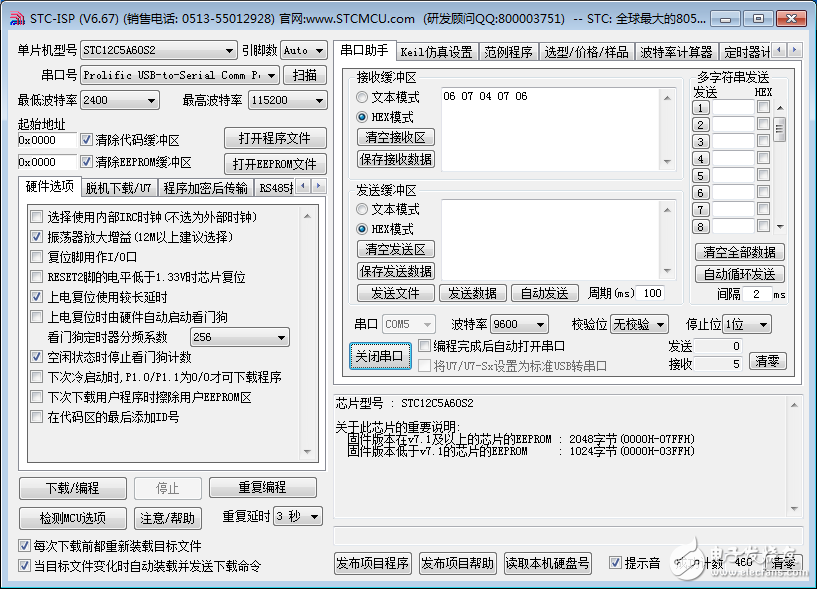
看看眼熟不烧写软件上面有串口助手哦!功能强大吧!
打开串口
配置如上
端口怎么找?这个就不要问了嘛?
右键计算机-设备管理器-端口
手机连接上蓝牙发数据,数据出来了吧!
哈哈就这么简单!
晒张总图

玩小车去喽!
小结:之前做过小车本以为做个蓝牙小车手到擒来,但是还是遇到了几个问题
1.一开始不知道最小系统的晶振是12Mhz的导致系统不正常,所以一定要使用11。0592的晶振呀!
2.调小车轮子转动的方向一定要一个一个调,切记!切记!
3.最后就是程序,调的时候一个功能一个功能的实现,没有一下子都把程序写出来的,因为涉及到串口,有必要还要编写一个发送串口数据的子函数,这样在电脑上可以随时看到你发送的数据!
后续还有小车pid算法,寻光,循迹的研究希望大家继续关注!
有不懂的加我qq727142092
河北科技师范学院
电子爱好者协会
邱增顺
(连载中...)从业将近十年!手把手教你单片机程序框架。废话少说先上零件图
小车底盘
电机驱动
蓝牙模块HC-06
12V锂电池
烧写器
安卓app蓝牙小车
单片机最小系统
本来想自己画板子做模块的,但是老师给了我一大堆模块,没办法就用老师的模块吧
嘿嘿
模块都上了怎么连接?
那我就简单的说一下,
电机驱动:8个控制端接51单片机P0口,驱动PWM使能端接P2.0-P2.3。
因为电机驱动上有5V输出电压所以可以恰好给单片机供电,所以很好的解决了单片机要与驱动共地的问题。
蓝牙模块:蓝牙模块的RXD接单片机的P3.1,蓝牙模块的TXD接单片机的P3.0.蓝牙模块的电源接单片机的电源。
哈哈简单吧
接下来上源代码
- #include "reg51.h"
- sbit PWM1 = P2^0;//右后轮电机驱动使能
- sbit PWM2 = P2^1;//左后轮电机驱动使能
- sbit PWM3 = P2^2;//右前轮电机驱动使能
- sbit PWM4 = P2^3;//左前轮电机驱动使能
- sbit motor_control_1 = P0^0;//右后轮后退
- sbit motor_control_2 = P0^1;//右后轮前进
- sbit motor_control_3 = P0^2;//左后轮后退
- sbit motor_control_4 = P0^3;//左后轮前进
- sbit motor_control_5 = P0^4;//右前轮后退
- sbit motor_control_6 = P0^5;//右前轮前进
- sbit motor_control_7 = P0^6;//左前轮后退
- sbit motor_control_8 = P0^7;//左前轮前进
- unsigned char ucBluetoothData = 230;//设置初始速度最大值为255最小为125
- unsigned char ucLock = 0;//互斥量,俗称原子锁
- unsigned int uiPWMCnt1 = 0;
- unsigned int uiPWM1 = 230;
- unsigned int uiPWMCnt2 = 0;
- unsigned int uiPWM2 = 230;
- unsigned int uiPWMCnt3 = 0;
- unsigned int uiPWM3 = 230;
- unsigned int uiPWMCnt4 = 0;
- unsigned int uiPWM4 = 230;
- unsigned char ucTempPWM;//设置中间变量
- void initial_myself();
- void initial_peripheral();
- void T0_time();
- void usart_service(void);
- //void usart_send(unsigned char ucSendData);
- void delay_long(unsigned int uiDelayLong);
- void go_forward(void);//前进
- void fall_back(void);//后退
- void turn_left(void);//左转
- void turn_right(void);//右转
- void stop();//刹车
- void main()
- {
- initial_myself();
- delay_long(100);
- initial_peripheral();
- while(1)
- {
- usart_service();
-
- // delay_long(500);
-
-
- }
- }
- //串口服务函数
- void usart_service()
- {
-
- switch(ucBluetoothData)
- {
- case 0x04://前进
- ucBluetoothData = 0x02;//避免一直触发
- go_forward();
- ucLock = 1;
- uiPWM1 = uiPWM2 = uiPWM3 = uiPWM4 = ucTempPWM;
- ucLock = 0;
- break;
- case 0x05://左转
- ucBluetoothData = 0x02;//避免一直触发
- turn_left();
- ucLock = 1;
- uiPWM2 = uiPWM4= ucTempPWM / 4;
- uiPWM3 =uiPWM1 = ucTempPWM;
- ucLock = 0;
- break;
- case 0x06://右转
- ucBluetoothData = 0x02;//避免一直触发
- turn_right();
- ucLock = 1;
- uiPWM2 = uiPWM4 = ucTempPWM;
- uiPWM3 =uiPWM1 = ucTempPWM / 4;
- ucLock = 0;
- break;
- case 0x07://后退
- ucBluetoothData = 0x02;//避免一直触发
- fall_back();
- ucLock = 1;
- uiPWM1 = uiPWM2 = uiPWM3 = uiPWM4 = ucTempPWM;
- ucLock = 0;
- break;
- case 0x01:
- ucBluetoothData = 0x02;//避免一直触发
- stop();
- ucLock = 1;
- uiPWM1 = uiPWM2 = uiPWM3 = uiPWM4 = ucTempPWM;
- ucLock = 0;
- break;
- case 0x00:
- ucBluetoothData = 0x02;//避免一直触发
- stop();
- ucLock = 1;
- uiPWM1 = uiPWM2 = uiPWM3 = uiPWM4 = ucTempPWM;
- ucLock = 0;
- break;
- default :
- break;
-
- }
- delay_long(100);
- // usart_send(ucBluetoothData);
- //速度调节的数据
- if(ucBluetoothData!=0x00&&ucBluetoothData!=0x01 && ucBluetoothData!=0x02 && ucBluetoothData!=0x04 && ucBluetoothData!=0x05 && ucBluetoothData!=0x06 && ucBluetoothData!=0x07)
- {
- ucLock = 1;
- ucTempPWM = uiPWM1 = uiPWM2 = uiPWM3 = uiPWM4 = ucBluetoothData;
- ucLock = 0;
- }
- }
- void T0_time() interrupt 1
- {
- TF0 = 0;//清除中断标志
- TR0 = 0;//关定时器
- uiPWMCnt1 ++;
- uiPWMCnt2 ++;
- uiPWMCnt3 ++;
- uiPWMCnt4 ++;
- if(ucLock == 0)
- {
- if(uiPWMCnt1 > 255)
- {
- uiPWMCnt1 = 0;
- }
- if(uiPWMCnt1 < uiPWM1)
- {
- PWM1 = 1;
-
- }
- else
- {
- PWM1 = 0;
- }
-
- if(uiPWMCnt2 > 255)
- {
- uiPWMCnt2 = 0;
- }
- if(uiPWMCnt2 < uiPWM2)
- {
- PWM2 = 1;
-
- }
- else
- {
- PWM2 = 0;
- }
-
- if(uiPWMCnt3 > 255)
- {
- uiPWMCnt3 = 0;
- }
- if(uiPWMCnt3 < uiPWM3)
- {
- PWM3 = 1;
-
- }
- else
- {
- PWM3 = 0;
- }
-
- if(uiPWMCnt4 > 255)
- {
- uiPWMCnt4 = 0;
- }
- if(uiPWMCnt4 < uiPWM4)
- {
- PWM4 = 1;
-
- }
- else
- {
- PWM4 = 0;
- }
-
-
- }
- TH0 = 0xff;
- TL0 = 0x28;
- TR0 = 1;///开定时器
- }
- void initial_myself()
- {
- TMOD = 0x01;//设置定时器0为工作方式1
- TH0 = 0xff;
- TL0 = 0x28;
- //配置串口
- SCON = 0x50;
- TMOD = 0x21;
- TH1 = TL1 = -(11095200L/12/32/9600);
- IP = 0x10;
- stop();
- PWM1 = 1;
- PWM2 = 1;
- PWM3 = 1;
- PWM4 = 1;
- }
- void initial_peripheral()
- {
- EA = 1;//开总中断
- ES = 1;//允许串口中断
- ET0 = 1;//允许定时器中断
- TR0 = 1;//启动定时器
- TR1 = 1;//
- }
- void usart_receive(void) interrupt 4
- {
- if(RI == 1)
- {
- RI = 0;
- ucBluetoothData = SBUF;
- // uiSendCnt = 0;
- }
- else
- {
- TI = 0;
- }
- }
- //void usart_send(unsigned char ucSendData)
- //{
- // ES = 0;
- // TI = 0;
- // SBUF = ucSendData;
- // TI = 0;
- // ES = 1;
- //
- //}
- void delay_long(unsigned int uiDelayLong)
- {
- unsigned int i;
- unsigned int j;
- for(i = 0 ; i < uiDelayLong ; i++)
- {
- for(j = 0; j < 500; j++);
-
- }
- }
- void stop()//停止
- {
- motor_control_1 = 0;
- motor_control_2 = 0;
- motor_control_3 = 0;
- motor_control_4 = 0;
- motor_control_5 = 0;
- motor_control_6 = 0;
- motor_control_7 = 0;
- motor_control_8 = 0;
- }
- void fall_back()
- {
- motor_control_1 = 1;
- motor_control_2 = 0;
- motor_control_3 = 1;
- motor_control_4 = 0;
- motor_control_5 = 1;
- motor_control_6 = 0;
- motor_control_7 = 1;
- motor_control_8 = 0;
- }
- void go_forward()
- {
- motor_control_1 = 0;
- motor_control_2 = 1;
- motor_control_3 = 0;
- motor_control_4 = 1;
- motor_control_5 = 0;
- motor_control_6 = 1;
- motor_control_7 = 0;
- motor_control_8 = 1;
- }
- void turn_left()//左转
- {
- motor_control_1 = 0;
- motor_control_2 = 1;
- motor_control_3 = 0;
- motor_control_4 = 1;
- motor_control_5 = 0;
- motor_control_6 = 1;
- motor_control_7 = 0;
- motor_control_8 = 1;
-
- }
- void turn_right()//右转
- {
- motor_control_1 = 0;
- motor_control_2 = 1;
- motor_control_3 = 0;
- motor_control_4 = 1;
- motor_control_5 = 0;
- motor_control_6 = 1;
- motor_control_7 = 0;
- motor_control_8 = 1;
- }
接下来上软件
连接上皆可以玩了
密码是1234哦。
软件在这里:http://pan.baidu.com/s/1eQnEHoA
以上只是安装过程。
细心的朋友会发现这个软件发出来的数据怎么得到的呢?
接下来教大家怎么获得手机发出来的数据:
用PL2303烧写器和蓝牙相连,
接法和单片机相连的接法一样。
TXD-RXD
RXD-TXD
注意电源别接反哦!如果不行就再反过来接!总有一个顺序可以
没有PL2303也可以用学习板哦!
看看眼熟不烧写软件上面有串口助手哦!功能强大吧!
打开串口
配置如上
端口怎么找?这个就不要问了嘛?
右键计算机-设备管理器-端口
手机连接上蓝牙发数据,数据出来了吧!
哈哈就这么简单!
晒张总图
玩小车去喽!
小结:之前做过小车本以为做个蓝牙小车手到擒来,但是还是遇到了几个问题
1.一开始不知道最小系统的晶振是12Mhz的导致系统不正常,所以一定要使用11。0592的晶振呀!
2.调小车轮子转动的方向一定要一个一个调,切记!切记!
3.最后就是程序,调的时候一个功能一个功能的实现,没有一下子都把程序写出来的,因为涉及到串口,有必要还要编写一个发送串口数据的子函数,这样在电脑上可以随时看到你发送的数据!
后续还有小车pid算法,寻光,循迹的研究希望大家继续关注!
有不懂的加我qq727142092
河北科技师范学院
电子爱好者协会
邱增顺
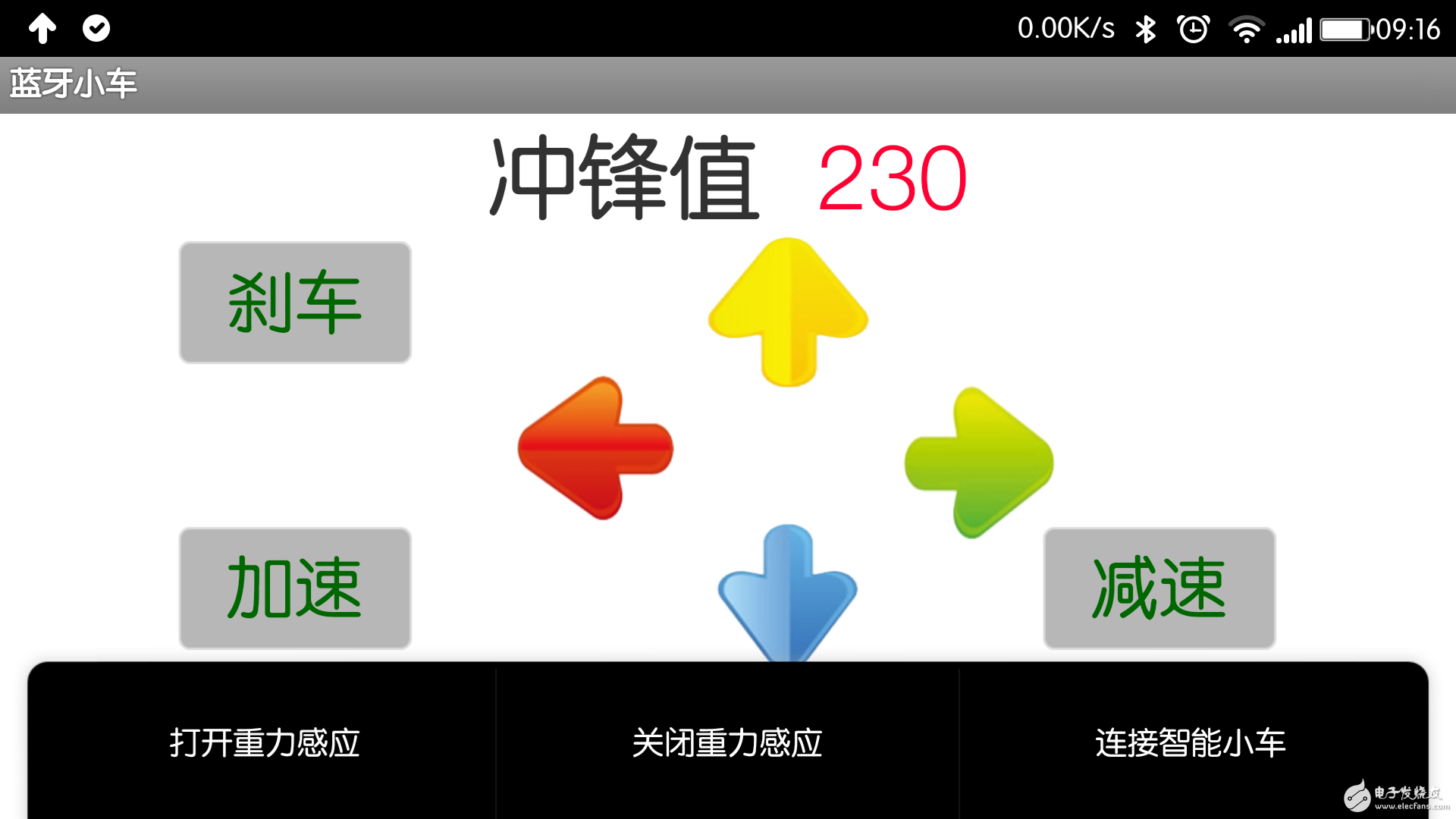
小编,app是自己写的吗?
谢小编分享
赞一个
不错。值得学习!
要不要这么全面啊
收藏了,我也想做一个蓝牙小车。
牛b啊啊啊啊啊啊啊啊啊啊啊啊啊啊啊啊啊啊啊啊啊啊啊啊啊啊啊啊啊啊啊
必须给赞啊
学习学习,谢谢分享!
好厉害。
好东西,先收藏了,谢谢小编的分享!
好东西,先收藏了,谢谢小编的分享!
不错不错啊
有时间我也做一个,还请小编帮忙啊
真牛掰~有时间我也做一个,还请小编帮忙啊
>我*,大婶啊
APP有源码吗