
个内层分割的存盘问题
时间:10-02
整理:3721RD
点击:
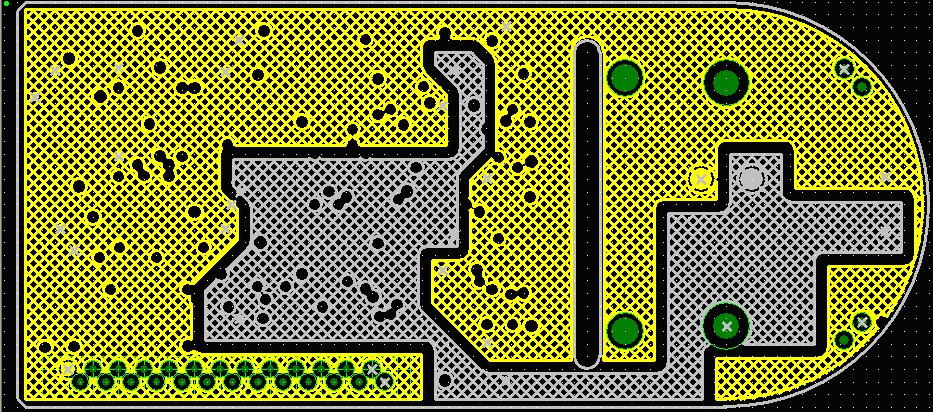
有一个内层分割的问题请教。
如下,我分割了黄色的+5V网络和灰色的+12V网络。
当我保存设计时,弹出如下的对话框:
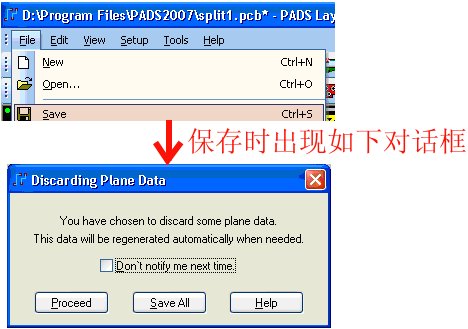
点击“proceed”确认,确认后灌的铜还在,如下。
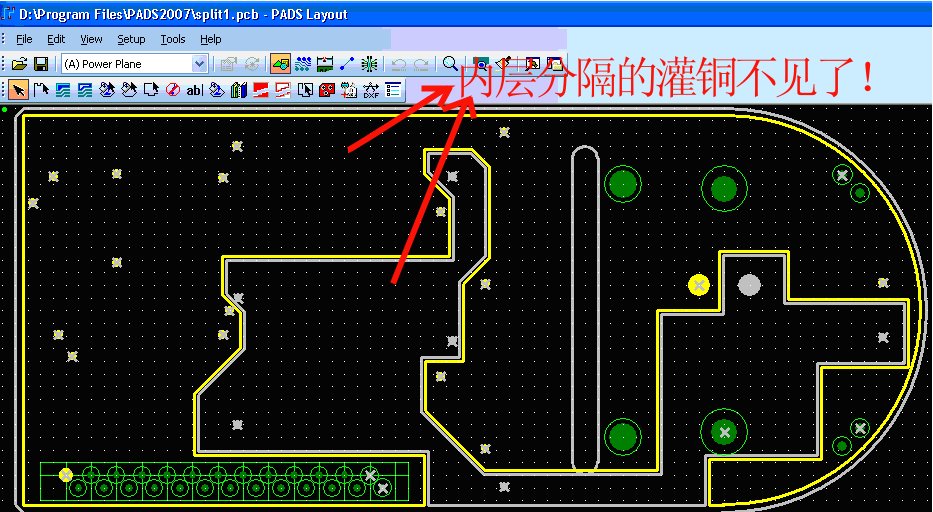
但当我重新打开这个PCB文件的时候,黄色的灌铜和灰色的灌铜这两区域不见了!如下:
假若不是内层的灌铜,在重新打开后不见以前的灌铜时,可以Ctrl+Alt+N,弹出如下的对话框,
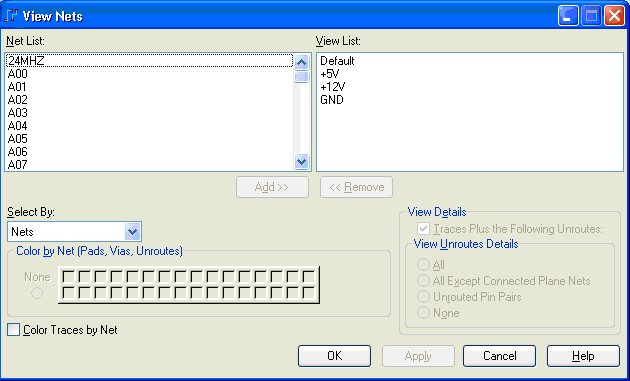
在这个对话框中点击”OK”就能看见以前灌过的铜。
但是内层的分割的铜在重新打开后执行这个操作也不能把不见了的铜显示回来!是怎么回事?
谢谢!
自己顶一下,希望得到高人指点的答案!
自己zai顶一下,希望得到高人指点的答案!
when you choose "Proceed" after it is reopen,you should follow this:
Pour Manager--->lane Connect-->select all-->Start
or you can choose "Save All",after reopening ,just
View-->net-->OK
Thank you!
I get it and have a try at once.
LOL,you are right.I select Save All button as you say,the different case show below.
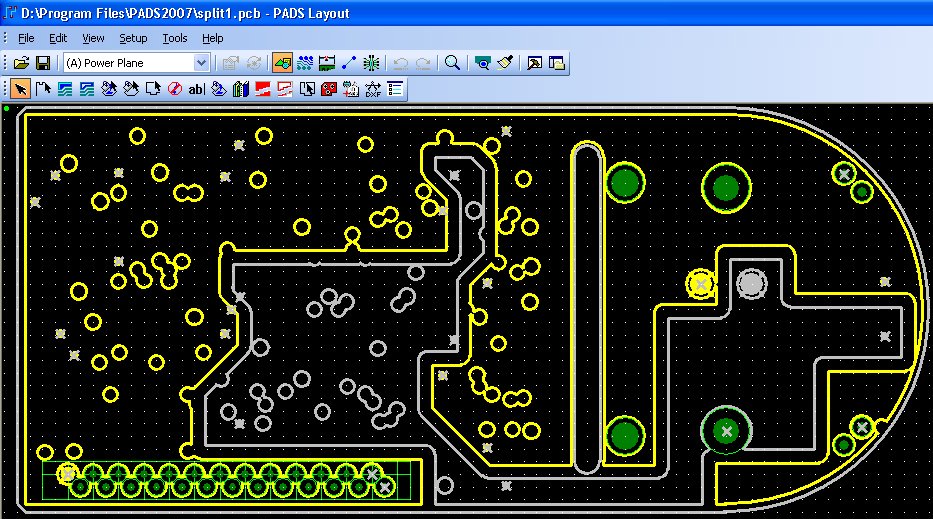
reopen and select View-->net-->OK menu command,the color display correctly.
thank you!