
altium designer 08中关于polygon和焊盘间距的布线规则的设置
时间:10-02
整理:3721RD
点击:
altium designer中关于polygon和焊盘间距的布线规则的设置
步骤如下:
— Design》Rules》Design Rules》Electrical》Clearances
— 右键单击鼠标,而后选择*New Rule*即添加了新的间距规则
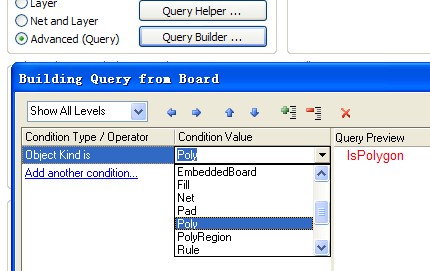
— 在上面的where the first object matches选项里选advanced,query builder>>下拉菜单-object kind is 后面选poly
—同上,在下面的where the second object matches,object kind is 后面选pad
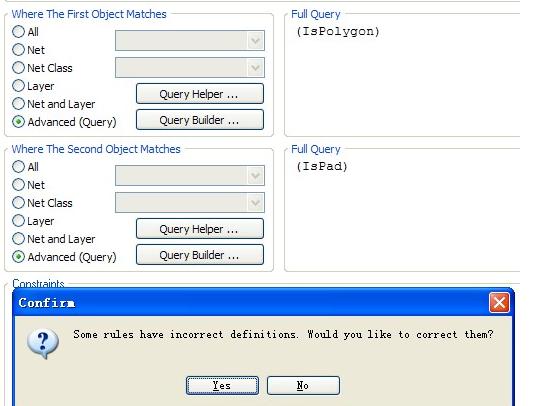
—最后确定的时候出错了,截图如下。
另: object kind is 的poly 与polyregion 有什么区别?
请高手们指导,感谢!

步骤如下:
— Design》Rules》Design Rules》Electrical》Clearances
— 右键单击鼠标,而后选择*New Rule*即添加了新的间距规则
— 在上面的where the first object matches选项里选advanced,query builder>>下拉菜单-object kind is 后面选poly
—同上,在下面的where the second object matches,object kind is 后面选pad
—最后确定的时候出错了,截图如下。
另: object kind is 的poly 与polyregion 有什么区别?
请高手们指导,感谢!